
Capabilities
This is a guide, not the contract. What the platform guarantees is specified under
openspec/specs/. For this page:plugin-permissions. Where this page and a specification disagree, the specification is right, and that is a defect in this page: change the behaviour there, then explain it here.
provideCapabilityGrants({ <pluginId>: [...capabilities] }) is the grant authority. Grant each
weaver exactly the capabilities its manifest declares: the effective set is the intersection of
grant and declaration, and a grant for an undeclared capability is inert (dev mode warns). Why
nothing is granted implicitly is Capabilities and trust.
The composition root is the authoritative grant source, and a product backend can feed per-tenant
grants behind the same seam. Several calls add up: a plugin named in more than one holds the union
of what they list. That is why a generator may append one call per weaver it composes in, and why
one call naming every plugin means what it always meant.
The coarse capabilities
| Capability | What it grants |
|---|---|
contributions | register views/commands/items/routes/icons |
ui | dialogs, toasts, settings |
host | version/update facts |
navigation | drive the content area: navigateContent/openContentTab/closeContentTab |
session | read login state and roles via ctx.session for self-gating |
theme | contribute --lw-* tokens (colours and the UI font) that re-skin the whole app via ctx.contributeTheme |
automation | run actions other plugins contributed, via ctx.invokeCommand/ctx.invocableCommands, and only those their authors declared callable |
The Permissions section
The shell ships a built-in Permissions settings section (under Options). It lists every plugin.
The user can turn a whole plugin off with an on/off switch: the plugin unloads and none of its
contributions appear, and turning it back on reloads it, live. Per enabled plugin, the user can also
revoke individual capabilities. Both are user-local (persisted through the settings store) and
take effect immediately: enabling or disabling reconciles activation reactively, and a capability
revocation reads the live grant on the plugin’s next ctx call. The user can only narrow, never
widen beyond what you granted here, so least privilege is preserved. Nothing to wire: it appears automatically.
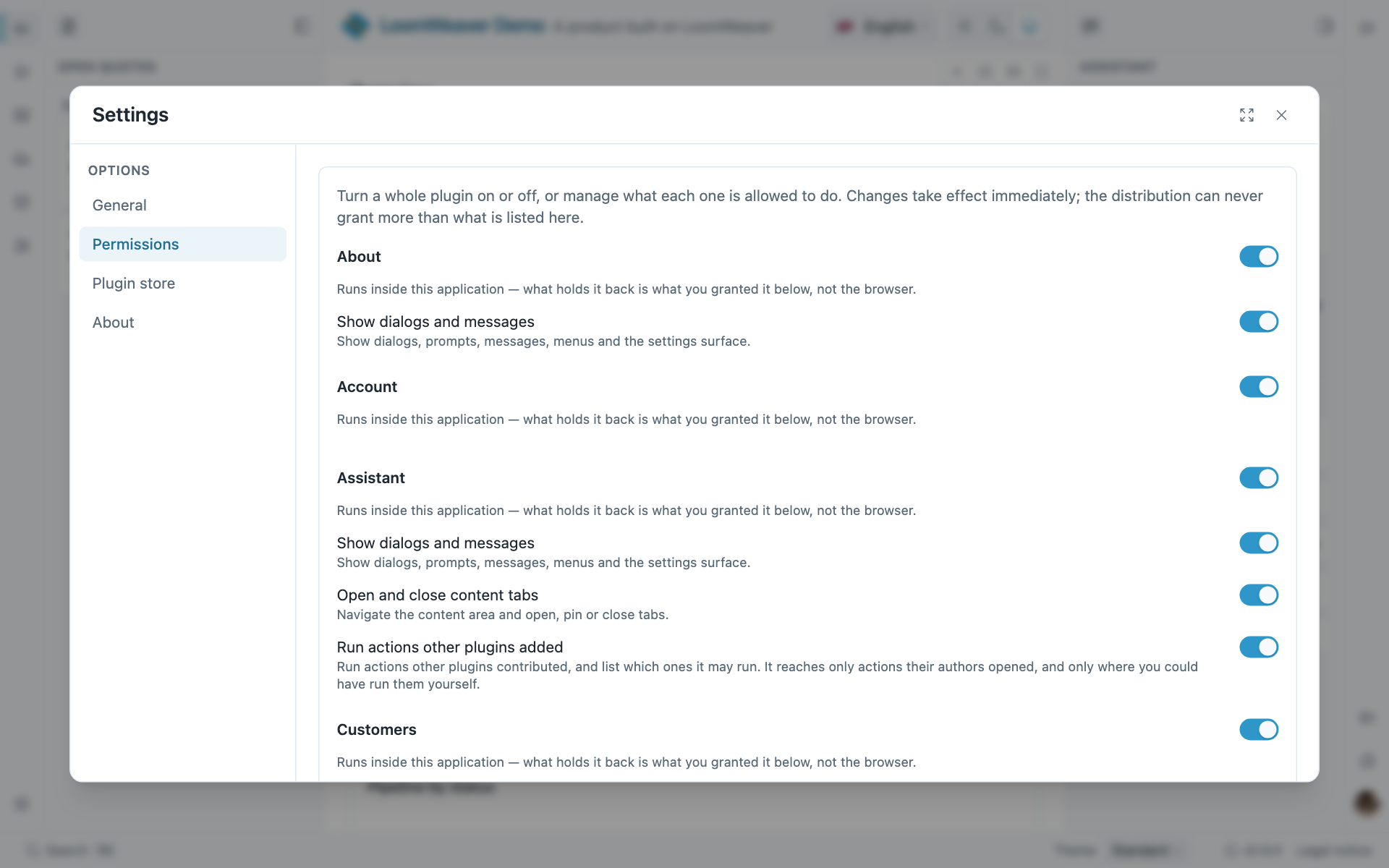
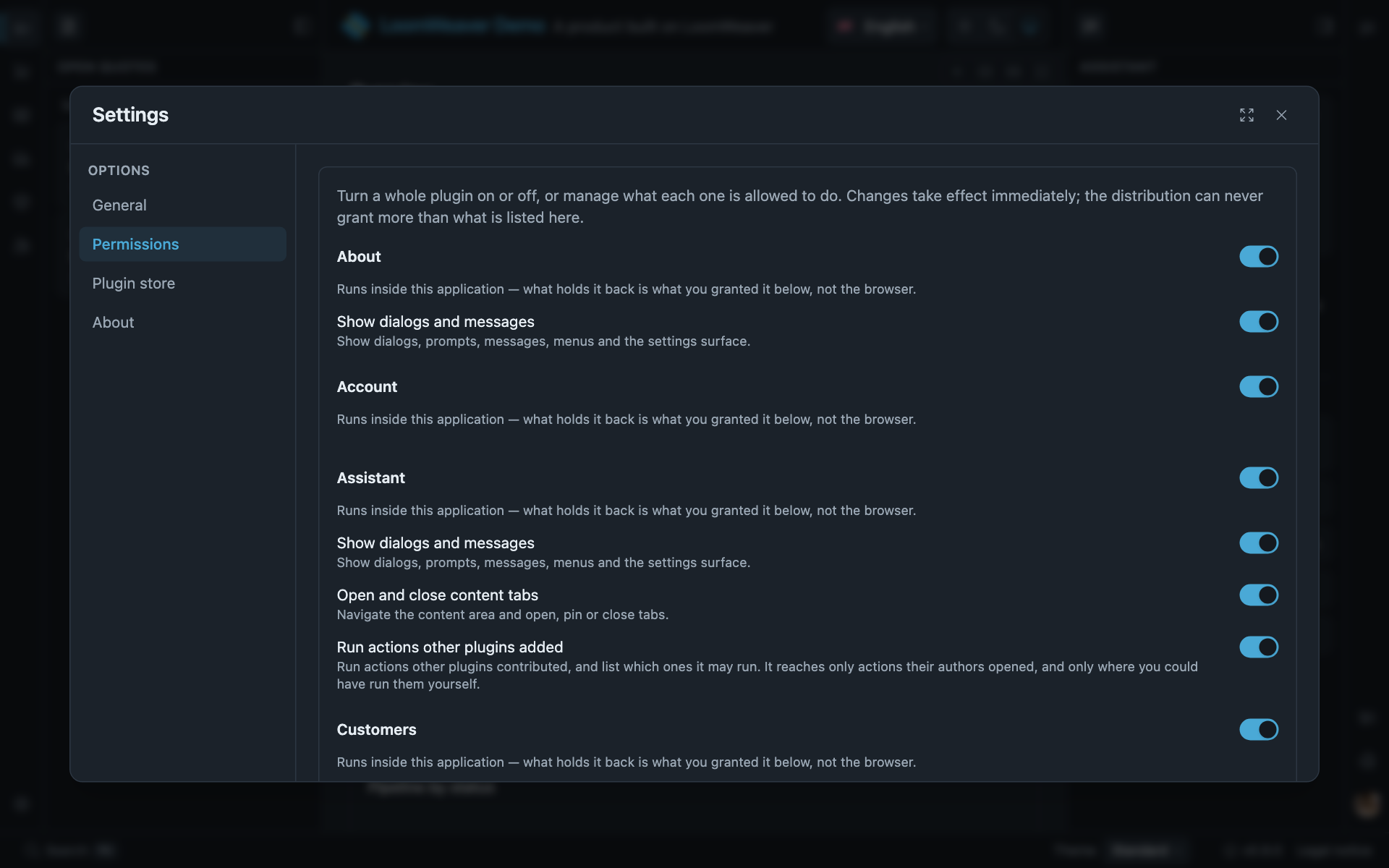
The Permissions section in the demo: one switch per plugin, and under it one per capability the plugin holds. Nothing here was wired by the distribution.
A plugin your application cannot run without
A routable surface can only come from a plugin, so the weaver carrying your starting place is a
plugin like any other, and by default one the user can switch off. Switching off the plugin that
registers home and the sign-out control leaves a signed-in person with no starting place and no way
out until they find Settings again.
provideRequiredPlugins('sign-in') says that plugin is not optional. The Permissions section then
lists it, states what it holds, and offers no switch to turn it off; it stays active whatever the
user chose before, so a plugin that was already off comes back on.
Where such a plugin holds nothing that can be withdrawn, the section leaves it out altogether. That is the plugin which asked only for the right to register contributions, which is never revocable. A page about what may be permitted has nothing to say about a part with nothing to permit, and an empty row describing absent controls costs the reader a search.
It withholds that one switch and nothing else. The capabilities such a plugin was granted stay revocable, because needing a plugin says nothing about needing everything it asked for. That is what separates this from a plugin an operator deployed through the store, where both the plugin and its capabilities are fixed.
The declaration is yours, not the plugin’s, and there is deliberately no manifest field for it; the concept page says why. Naming a plugin you do not compose is reported in development and otherwise ignored, the same way a grant for an undeclared capability is.
Two things keep this safe by default, both host-provided: (1) a blocked ctx call that runs through a
command surfaces a warning toast (”… open Settings → Permissions”) instead of failing silently; and
(2) the host command shell.openSettings opens the settings surface without any plugin capability,
so the user can never lock themselves out. It is always reachable from the command palette
(mod+k).
Wire your own settings launcher (rail item, menu) to shell.openSettings rather than a plugin’s gated
ctx.ui.openSettings, so it keeps working even when a plugin’s capabilities are revoked.
Where next
- Capabilities and trust: default-deny, the three rungs, and why access is not a capability.
- Plugins at runtime: doing from your own code what the Permissions section does.
- Access gating in a weaver: gating by login state and role, which is not a capability.