
Retention and unsaved work
This is a guide, not the contract. What the platform guarantees is specified under
openspec/specs/. For this page:surface-retention. Where this page and a specification disagree, the specification is right, and that is a defect in this page: change the behaviour there, then explain it here.
This page explains what happens to a surface the user can no longer see. The how-to pages linked at the end show the code.
Hiding is not closing
A user who splits a pane, switches a tab or collapses a sidebar expects to come back to what they were doing. The workbench has to decide, for every surface at every one of those moments, whether to keep it alive or let it go. One rule covers all of them: a hidden surface is destroyed as soon as it is clean, and unsaved work is what keeps it alive.
“Hidden” means rendered by no pane of this window. A tab switch, a minimised pane, a collapsed sidebar and the closed compact drawer all hide a surface. Closing is different: a tab that is closed takes its instance with it, however the surface was declared, so retention covers hiding and never closing. Switching a workspace hides everything the outgoing arrangement held. It asks nothing, and a kept surface is found alive when that workspace is chosen again.
That rule is what makes a workbench with many open tabs affordable. Fifty hidden editors do not mean fifty live component trees; they mean fifty tabs, each of which is recreated when it is shown again.
What survives a destroy
The surface’s own memory does not, unless the plugin puts it somewhere. View state is that somewhere (View state that survives): the filter, the active sub-tab, the expanded nodes, the scroll position, written as one shape and restored on the next mount. It travels with the tab when the tab moves, so a split or a drag into a sidebar changes nothing the user can see.
View state survives a reload as well, which gives the rule an author can write by: evictable equals reload-safe. Anything that must survive a reload belongs in view state, and once it is there, hiding costs nothing.
A surface may ask to be kept regardless, or never to be kept (Keeping a hidden surface alive). A product chooses the default for every surface that says nothing (Surface retention), and the surface’s own declaration wins over that default.
Surfaces live off the router
Every surface is drawn by the pane that shows it, the pane carrying the address included, and its instance is keyed to that pane. Handing the address between split panes therefore moves the address and leaves each pane’s instance where it is, whether the surface is kept or not. A split deliberately shows two independent instances. What keeping adds is the hidden case: a kept surface survives while no pane shows it, where any other is destroyed and rebuilt on return.
The route a surface receives is the workbench’s, and it follows the address. Route parameters are part of the tab, because a different parameter is a different tab and a different instance. The sub-address or remainder, the query and the fragment follow the address while the pane carries it. There are no resolvers, and a nested router outlet inside the surface stays inert. For unsaved work, the guard below is the lighter tool than keeping. What else has no address is on The address.
The unsaved-work question
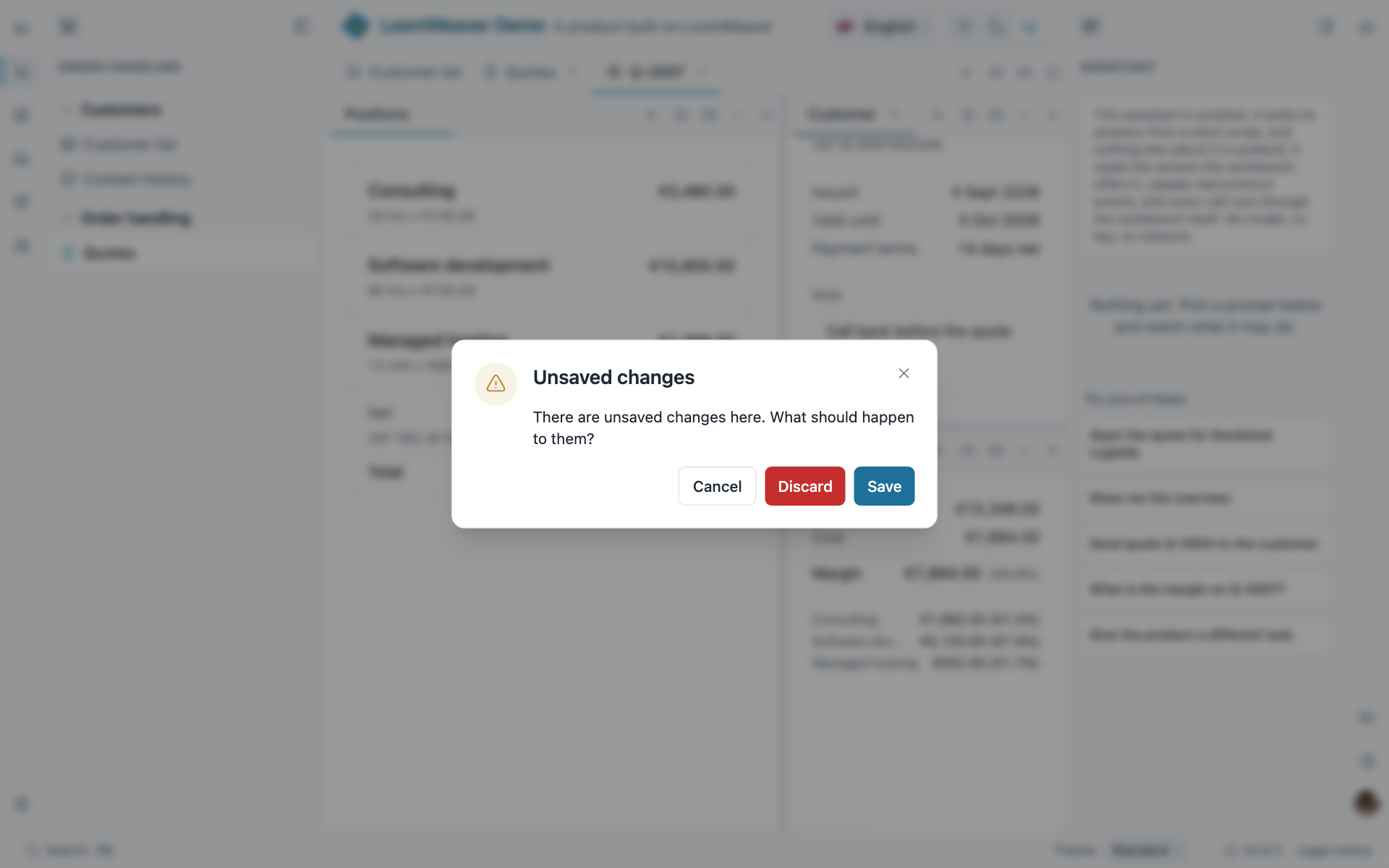
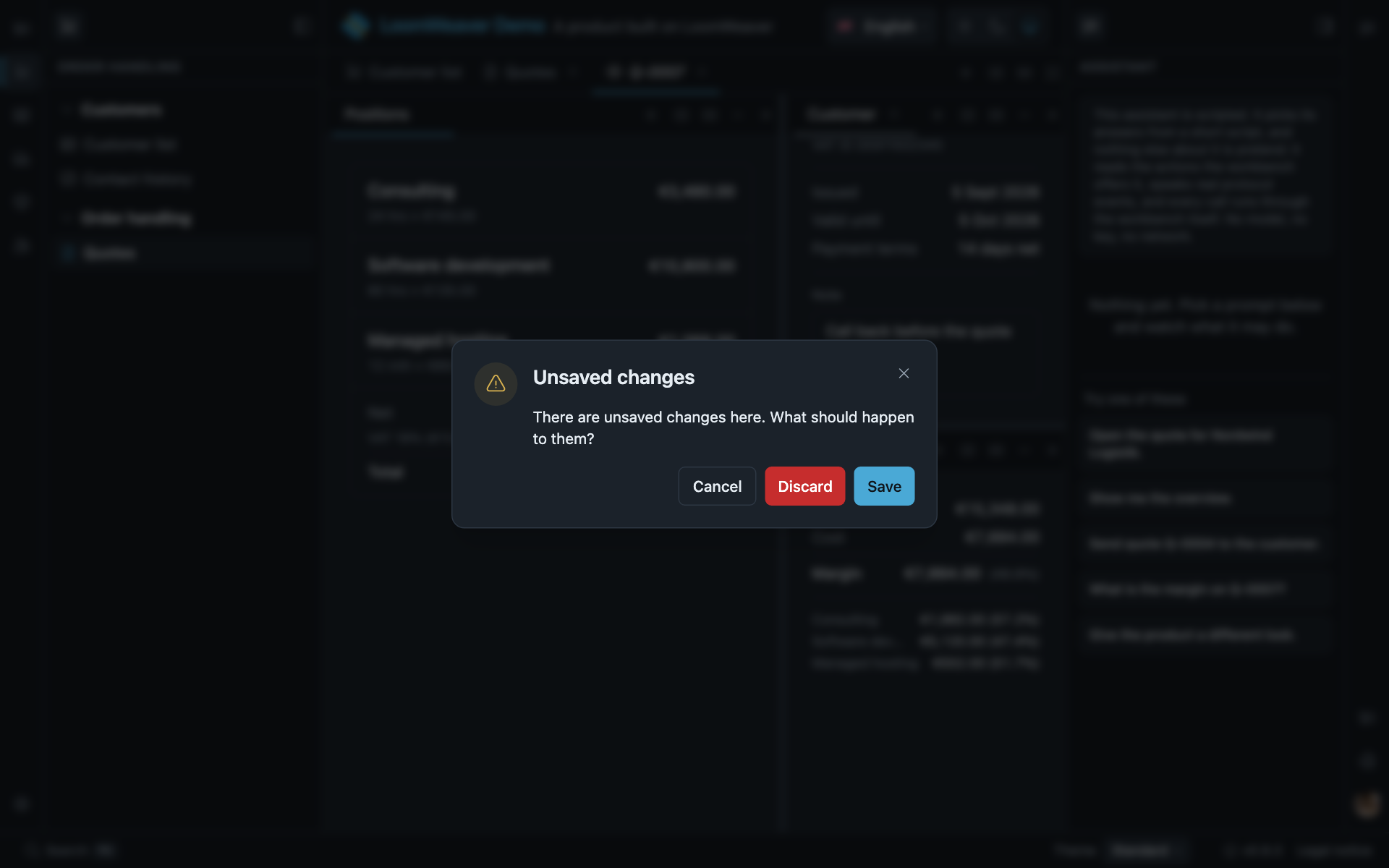
Wherever an action would destroy work, the workbench asks: Save, Discard or Cancel. Closing a tab, disabling or uninstalling a plugin and resetting a workspace all ask, because the question is asked by the action, not by the button that triggered it. Closing the browser window asks too, in the browser’s own words: browsers ignore page-supplied text there and localise the prompt to the browser’s language, not the product’s. A distribution that closes a tab from its own code asks the same question; the call returns at once and says nothing about the answer.
Before it asks, it shows. A tab whose surface holds unsaved work is drawn differently from one whose work is saved, and its name says so as well. A user coming back to six open documents can then see which one is waiting, rather than trying each in turn. A tab that holds other work is marked when any of that work is unsaved: a document whose panel is dirty is marked at the document, because that is the tab a user looks at. On a closable tab the mark shares the place of the close control, and the control appears when the pointer reaches that place. Pointing at the tab, or switching to it, never hides its mark. A window of its own carries no tab, and closes without the question, so there is nothing there to mark.
Whether an address holds unsaved work is also readable, not only visible. A distribution reads it among the other workbench facts (Tabs) and a plugin reads it for its own surfaces (Unsaved changes), so that a list can mark the row a document was opened from. Both read the same answer the workbench draws, which is why the two can never disagree in the same window.
A plugin takes part by implementing the unsaved-changes contract (Unsaved changes): it reports whether it is dirty, it saves on request, and it may say what should happen before a close. A sandboxed surface pushes the same facts over its channel. The owner of the work decides; the workbench only asks. If the owner does not answer within a bounded wait, the user is offered a way to close anyway, and an answer that still arrives counts.
Where to act on it
- Unsaved changes: implementing
DirtySurface. - View state that survives:
VIEW_STATE. - Surface retention: the product-wide default.
- Workspaces, Resetting and Tabs: which calls ask, and how they answer.