
Driving your product with an AG-UI agent
This is a guide, not the contract. What the platform guarantees is specified under
openspec/specs/. For this page:scaffolding·commands·plugin-permissions. Where this page and a specification disagree, the specification is right, and that is a defect in this page: change the behaviour there, then explain it here.
AG-UI is the open protocol between a user-facing application and an agentic backend. LoomWeaver speaks it, so any backend that speaks it drives your product. You are not adopting a mechanism peculiar to this platform, you are adopting a standard the platform implements, and you can leave for another implementation of it without rewriting your product.
What LoomWeaver contributes is the part on this side of the protocol. You do not describe your actions a second time and you do not write a dispatch: the commands you already registered are the tools an AG-UI agent is offered, and a call comes back through the same seam a button, a shortcut, a menu item and the command palette already run through.
That is also the limit, and it is the reason this is safe to ship: an agent reaches what the user could have reached, and nothing more. Permissions and access gating are not consulted again for agents, because they were never bypassed in the first place.
The setup is a generator run and a reading of what it produced. Two things stay yours to decide: which calls are worth asking about, and what replaces the stand-in.
Whose code is which
Three things meet in the generated connection. Knowing which is which makes replacing the stand-in a small step rather than a leap.
| Part | Comes from | What it contributes |
|---|---|---|
| The protocol | @ag-ui/core | Vocabulary only: the event types (RUN_STARTED, the TEXT_MESSAGE and TOOL_CALL events, TOOL_CALL_RESULT, RUN_FINISHED, RUN_ERROR), the shape of a tool and the shape of a tool message. No function of it runs in your product. |
| The adapter | @loomweaver/ag-ui | The logic on the workbench side. list() turns the commands the plugin may reach into protocol tools, with the declared arguments as JSON Schema. receive(event) assembles a call from its events, asks your hook, runs the command and answers with a tool message. Once the run is over, flush() answers each call it left open, one per request, until it answers nothing; such a call is refused, not run. |
| The agent | your product | Whatever talks to a model or to an endpoint and speaks the events back. The generated stand-in is its placeholder, and the one file you replace. |
A fourth package, @ag-ui/client, is not used here. It is a ready-made client that reads the event
stream of an AG-UI server over HTTP. Once your agent lives behind your own endpoint, it is the
shortest route, and its stream goes into the same receive() loop.
Generate it
npx @loomweaver/cli weaver --id copilot --agent --out src/copilotThat is the whole setup. --agent also implies a command, because a connection that offers nothing
demonstrates nothing, and it derives the automation capability, which is what reaching commands
other plugins registered requires. It needs two packages your project may not carry,
@loomweaver/ag-ui and @ag-ui/core; the CLI and the Nx generator record them for you, and the MCP
server names them among the steps that remain, because it cannot reach your workspace.
Serve the product and the panel is there, on the right, working. Nothing else has to be wired first: no backend, no key, no network. Scaffolding lists the files that landed and what each one is for.
Watch a call go through
Run one of the offered actions from the panel and read what it prints, because every step of the contract is visible in it:
- The offered list is asked for again. What a plugin may reach changes as plugins load and as the session changes. A list kept from an earlier run offers actions that are no longer there.
- The call arrives in pieces. A real model streams its arguments a fragment at a time. The adapter assembles them, so nothing downstream ever sees a half-written call.
- The workbench answers. An answer becomes the result’s content. A refusal and a failure both
land in
error, worded so an agent can tell “you may not” from “it broke” and choose differently.
Then decline one, and read it again. The panel says the workbench was never asked, and that is literally true: the decision happens in front of the workbench, not inside it.
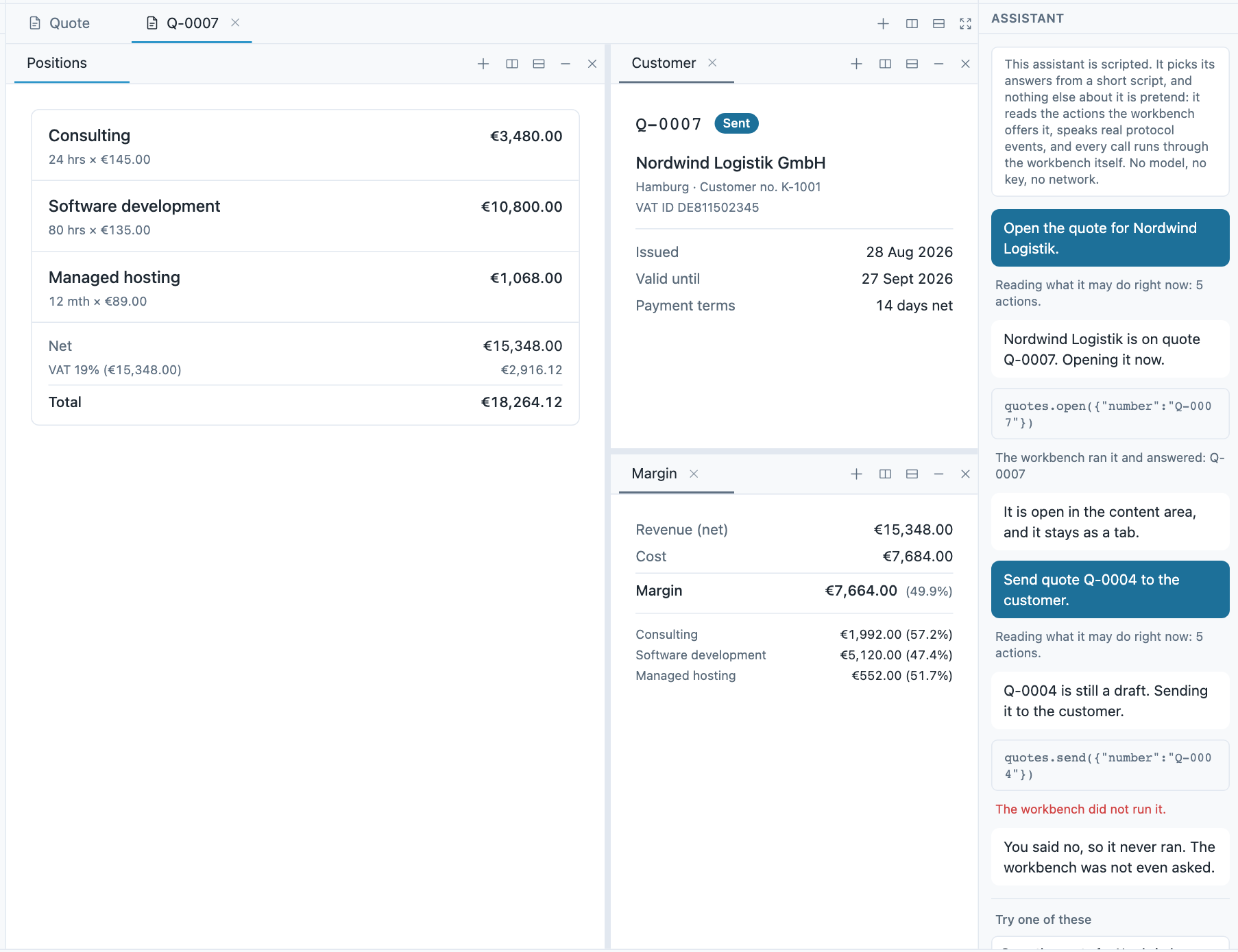
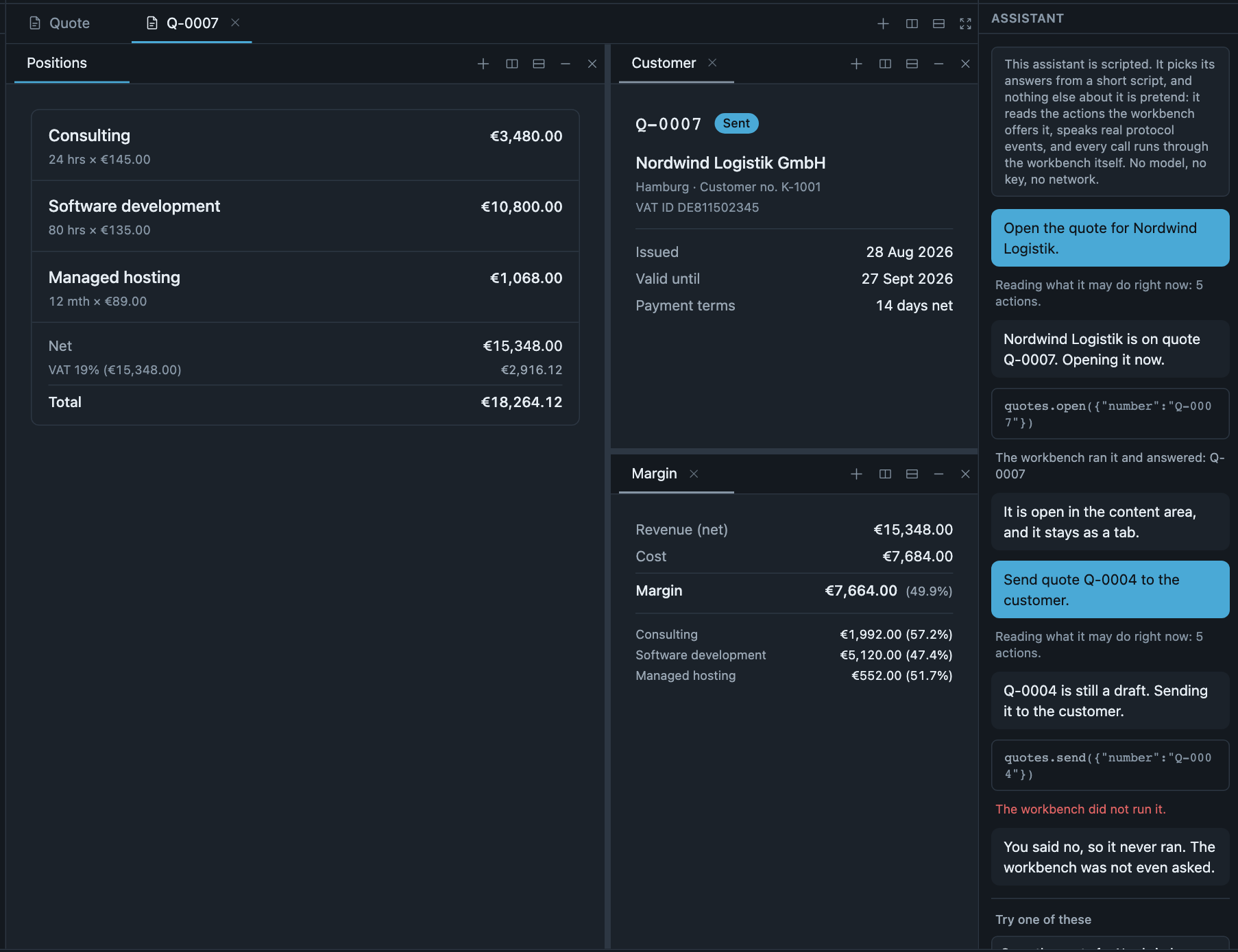
The panel after one call went through and a second was declined: the offered list, the call with its arguments, the workbench’s answer, and the line saying the workbench was never asked.
Decide what to ask about
A command says for itself what an agent’s word is enough for. agentConsent takes one of four
values: allow, ask, ask-always, never. It travels with the command, so call.agentConsent
in the before hook is what the command declared, and toolFor puts it in the tool’s metadata
for an agent host that reads it there. The generated connection declares ask on the weaver’s own
command and reads it off the call. Keep that shape: no set of command ids beside the commands. Such
a set drifts from what it describes, and it cannot speak for a command another plugin registered.
The platform states it and enforces nothing. The workbench shows no dialog for you, remembers no
answer, and refuses no invocation on this account: a command declaring ask-always still
runs when it is invoked. Acting on the statement is your half, in your own words and your own
placement, which is what the hook is for. That includes never: the generated connection declines
such a call outright. It does this through consentPolicy, which asks through your confirm and
remembers a yes to an ask command for as long as the connection lives. That memory belongs to the
adapter you opted into, not to the workbench.
Leaving callable off is what the platform enforces, and it closes a command to every caller but
the plugin that registered it.
A useful test for which value a command deserves: would you want this to happen while you were looking away? Sending a document to a customer, deleting a batch, moving money, publishing. Reading, navigating, filtering and opening almost never belong there. Asking about everything trains people to click through the question, which is worse than not asking.
The hook can only narrow. Returning run does not make a call reachable. It means “I have no
objection”, and the workbench then applies everything it always applied: the capability grant, the
access gating on the command, and whether the command exists at all. There is no decision you can
return here that widens what an agent may do, which is why the hook is a safe place to put product
judgement.
A command the agent cannot reach reads the same whatever the reason: no such command, not marked
callable, no grant, the wrong window, or a session that does not qualify. That is deliberate,
because telling them apart would let an agent learn what is installed by asking for things. Other
refusals say what they are: your own decline carries the reason you give, and so do arguments that
are unreadable or do not match, and a chain of calls run too deep. What the agent gets
back has every case.
Replace the stand-in
The generated <id>-agent.ts is a stand-in and says so in its own header. It speaks the
protocol and nothing else, so the path works before you have anything to connect to.
Point it at your own endpoint and yield the events it streams back. For an agent that answers in one round, that is the whole change, and it is confined to that one file: the panel and the connection beside it stay as they are.
Nothing is generated for the transport, the credentials or the model, because none of those can be guessed. They are your product’s, and they are usually the part that is already decided.
An agent that runs several rounds, as most real ones do, needs the answer to each call before it
asks its model again. Give it a way to be handed an answer, and let the panel hand the answer over
as soon as receive has returned it. That is one line in the panel: it still passes every event to
the connection, and only the answer travels back. The
assistant workbench example
does this with agent.answer(message) beside a real model; the samples page calls the same step
back.
Where to go next
- Agent tools describes what the adapter does, function by function: the loop, the hook, the three outcomes, the streamed-call rules.
- Callable commands covers opening a command to a caller that is not
the user: described arguments, answers, the
automationcapability, and why the default is closed. - Samples, recipe 10 is the same connection as code to copy, for a project that is not generating. This page runs the generator; that one shows what the generator would have written. Read this page first, and that one if you are writing it by hand.
- The live demo (opens in a new tab) carries a panel of its own with a scripted agent, and declining a call there shows what an agent is told.
- docs.ag-ui.com is the protocol itself, which the platform does not own: its events, its message shapes and the other implementations that speak it.